How to Run a Golf Pool: The Complete Guide
Everything you need to set up a golf pool that runs itself: formats, scoring, drafts, seasons, and payouts, explained from scratch.
Golf pools have run on spreadsheets, group texts, and honor systems for decades. Someone collects the picks, someone else squints at a leaderboard on Sunday and does the math by hand. It works, mostly, until the tournament goes to a playoff, a golfer withdraws mid-round, or your Forgiving-preset pool has to figure out which score to drop. This is the full walkthrough for setting one up properly instead, start to finish.
1. Create your pool
A pool is the group itself: everyone you're playing with, permanent across every tournament you run together. Give it a name, decide whether it's invite-only or open for anyone to find and join, and you'll get an invite code and link to send around. This part takes about thirty seconds.
By default any member can see that code and share it further, which is usually what you want for a group text growing on its own. Running something tighter, like an office pool where you want to approve who gets in? Flip Members Can Invite off in the pool's settings and only you (and any co-owners) can see or share the code from then on.
2. Add a competition
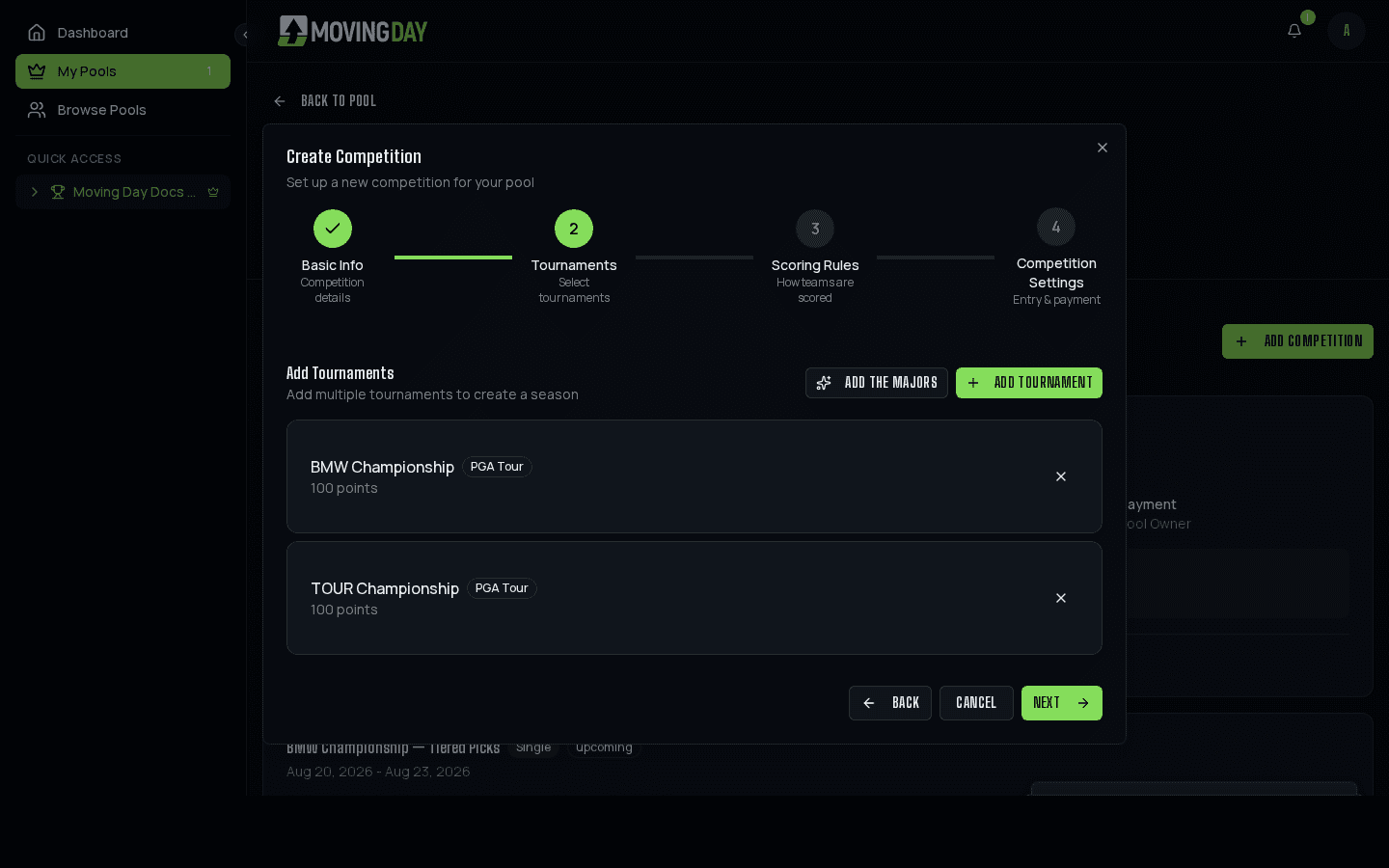
A competition is what your pool is actually playing for: one tournament, or a full season spanning several. Pick the tournament (or tournaments) from the schedule, and Moving Day sets the dates automatically.
3. Choose your scoring rules
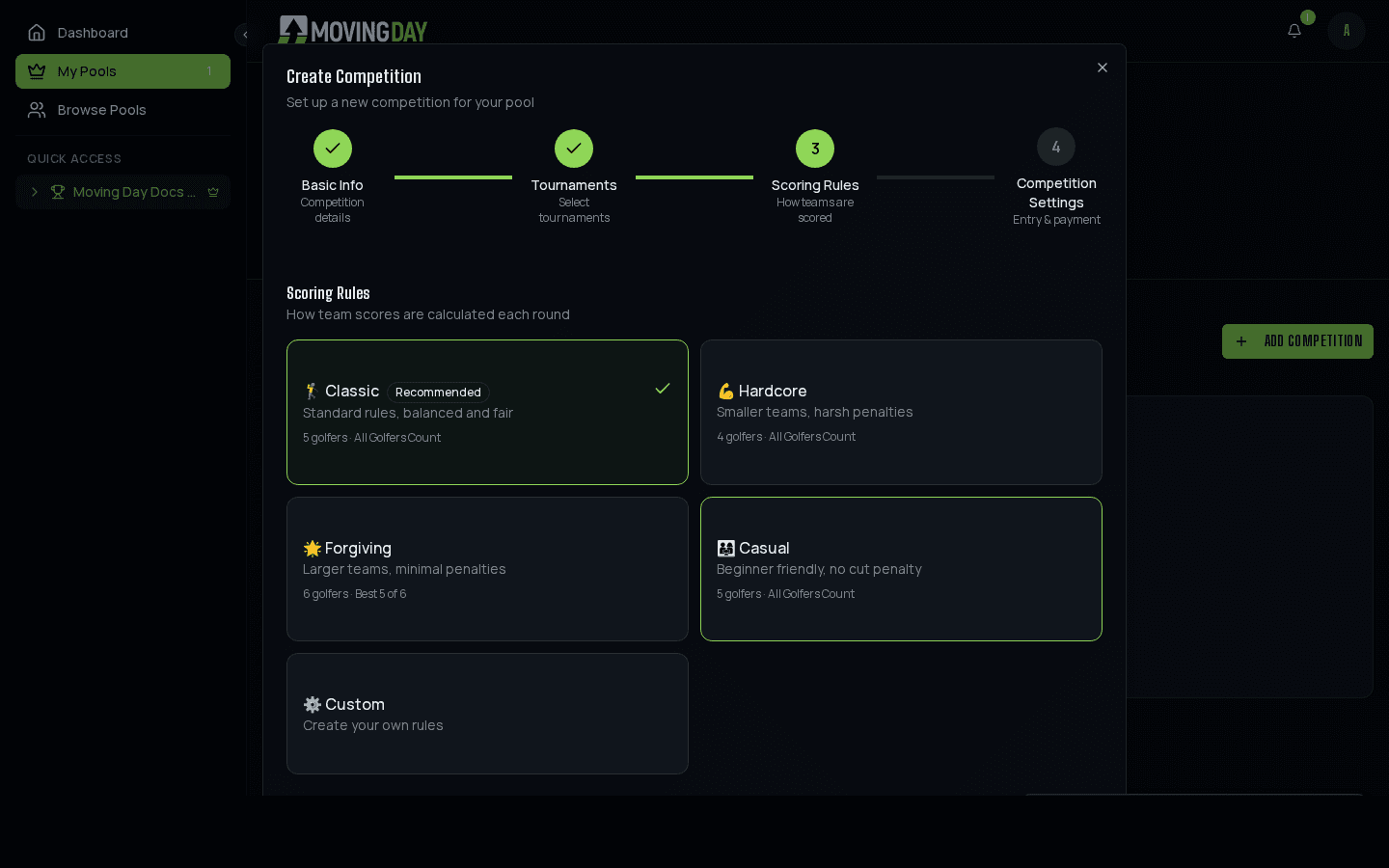
This is the one decision that shapes everything else: how many golfers per roster, whether every score counts or the worst one gets dropped, and how harshly a missed cut or withdrawal gets penalized. Five presets cover most groups out of the box, or build your own from scratch. Full breakdown in Formats & Rule Presets.
4. Decide how rosters get built
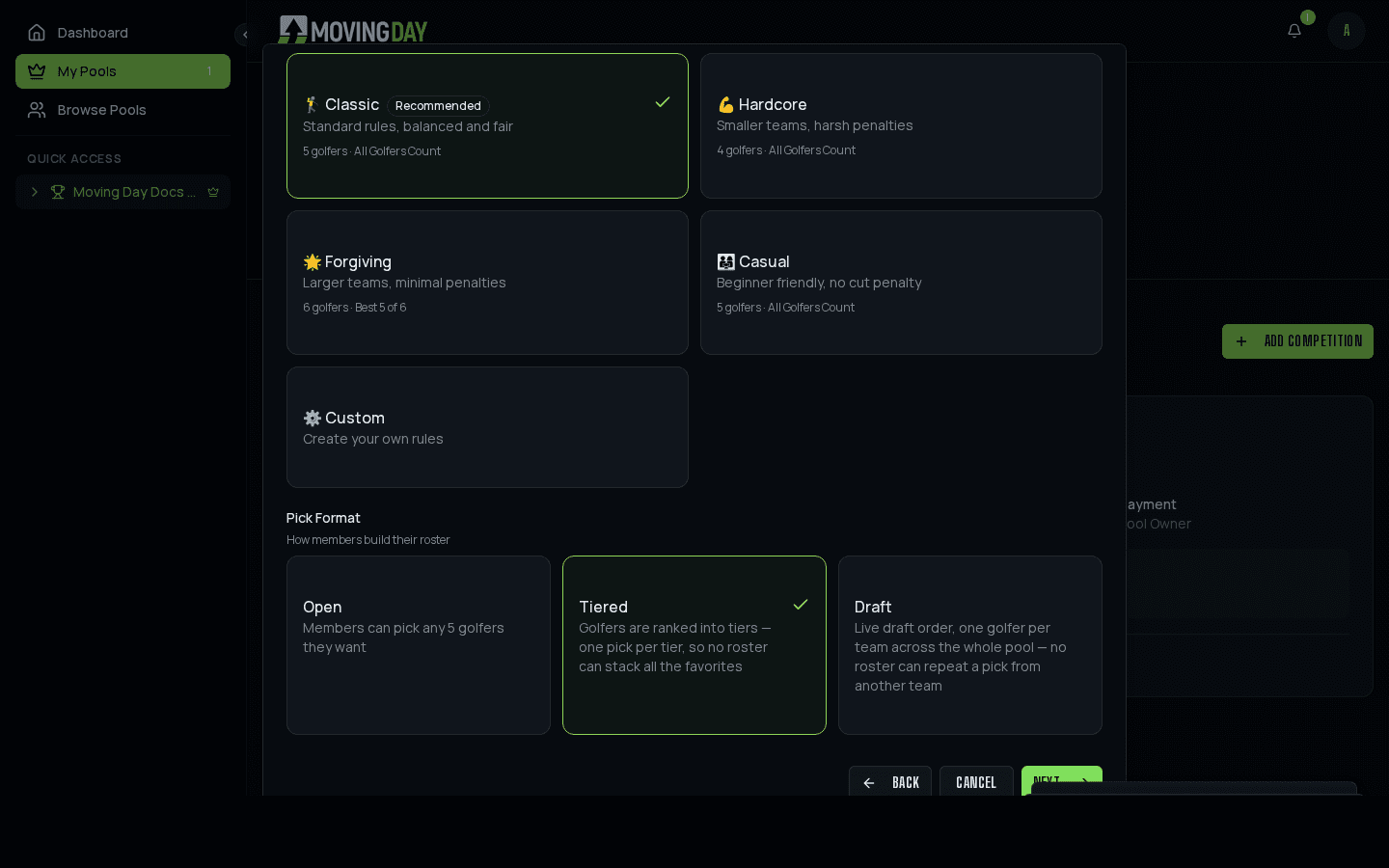
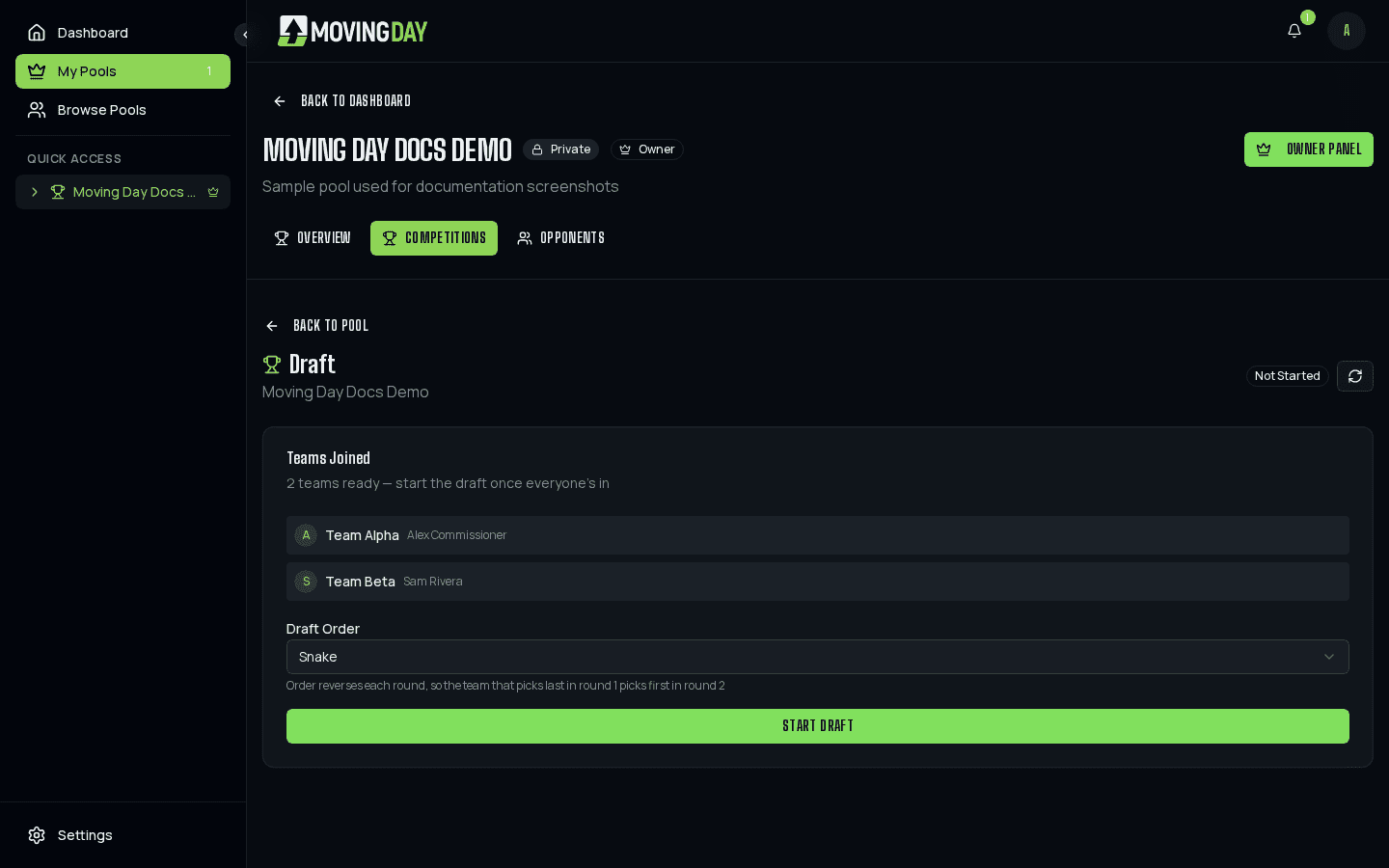
The default, Open picks, lets everyone choose freely, which is the fastest way to get a pool running but means your whole group can end up with the same five favorites. If you want real separation between teams, a live draft or tiered picks forces variety: a draft makes every golfer exclusive to one team, tiered picks guarantees everyone gets a mix of favorites and longshots. Whichever format you use, rosters stay hidden from opponents until the tournament starts, so no one's scouting the competition's picks before the field even tees off.
5. Running a season, not just one event
If your group wants to crown a champion across the whole major season instead of a single weekend, make it a season competition. Points accumulate per tournament into a standings table that updates as each event wraps. See Seasons for how the points system works.
6. Set up payouts
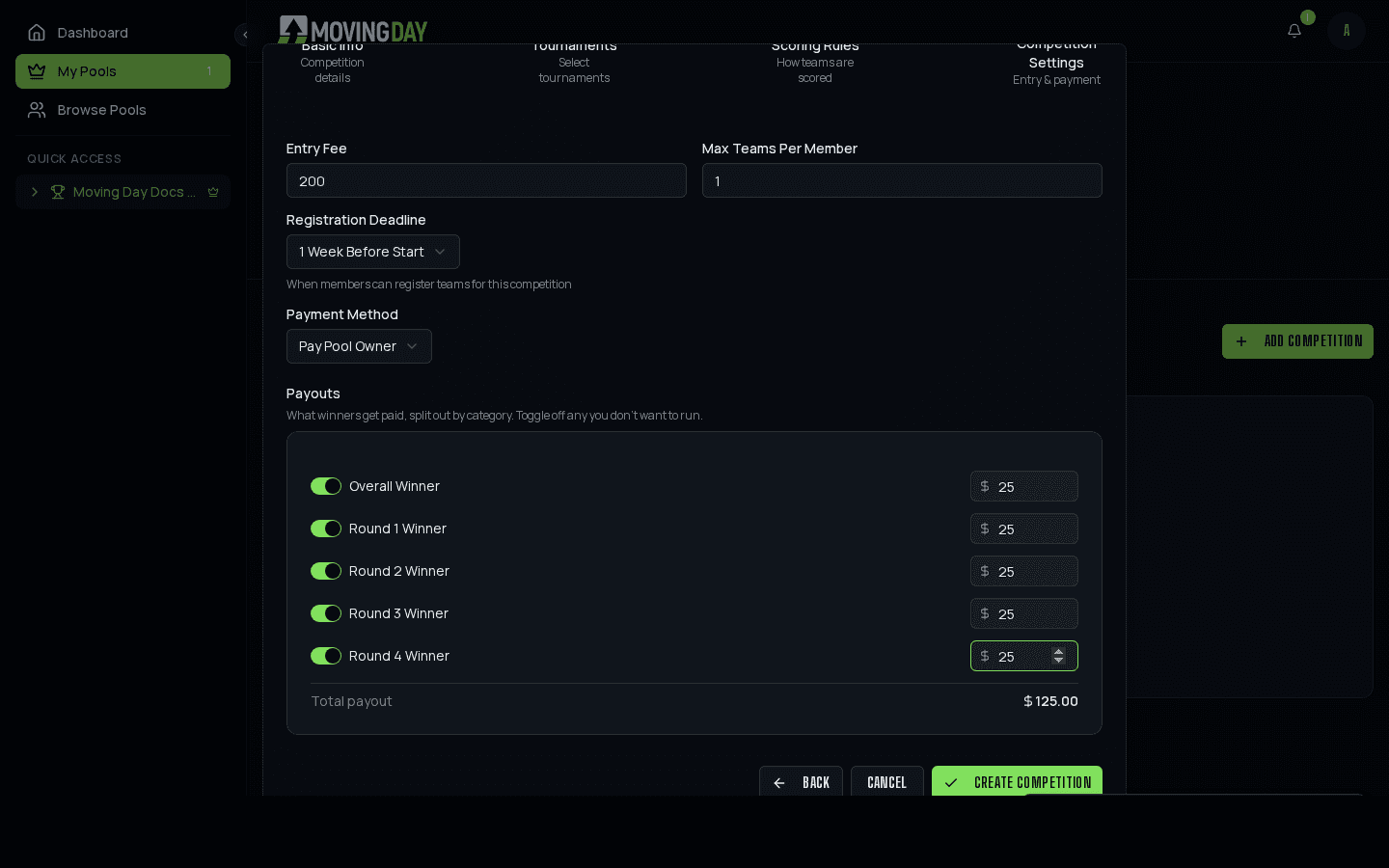
Moving Day doesn't move money. You're still settling up however your group always has. What it does is compute who's actually owed what: set a fixed dollar amount for the overall winner and, for single tournaments, a bonus for each round's leader. Separately, and free on every pool, an Entries & Payments page lets you track who's actually paid their entry fee for that competition. Full detail in Payouts.
7. Let it run
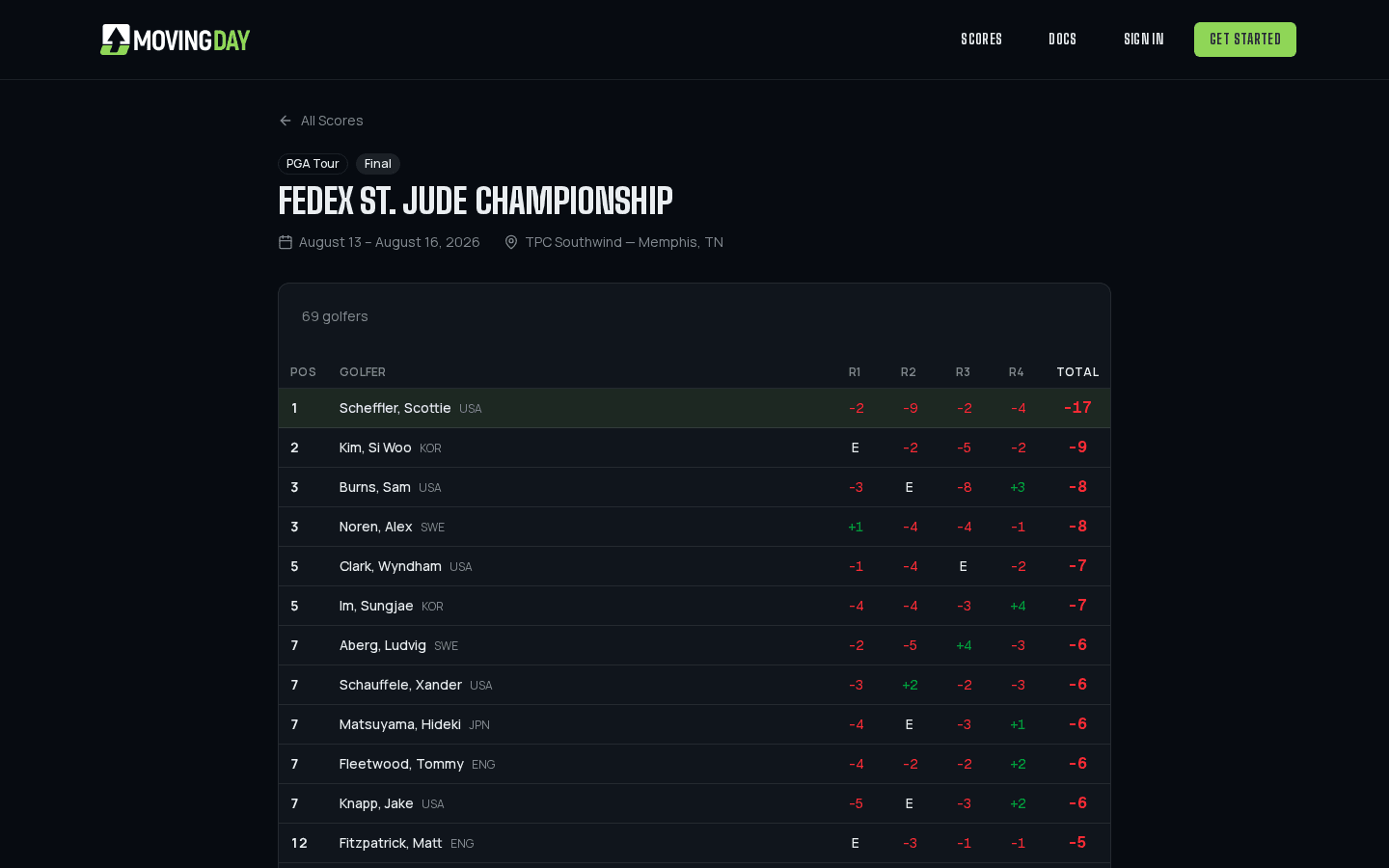
Once the tournament tees off, the leaderboard updates on its own: live scores, round-by-round breakdowns, and standings recalculated automatically as the real event plays out. No more doing the math by hand on Sunday afternoon.
8. Keep it fun while it's live
Every pool page has a members-only chat built in - trash talk, side bets, reactions to whoever's having a rough Saturday. It's private to your pool, so it's a natural home for the conversation that would otherwise scatter across texts and group chats. You can delete any message as the owner, and anyone can report one that crosses a line.
When the standings shift, a leaderboard link shared into your group chat unfurls as a standings-card image, not just a bare URL - so dropping the link after Moving Day's Saturday round actually shows who's making their move, right in the chat.
Ready to set one up?
Free to play for everyone you invite. Only the commissioner ever sees a Pro upgrade.