Documentation
Seasons
ProA single competition is one tournament with one winner. A season competition strings several tournaments together: every major, a full playoff run, whatever your group wants, and tracks a cumulative points standings across all of them.
How points work
Each tournament in a season ranks the pool's teams by their score for that event and awards points by placement. By default 1st earns 100 and everyone who plays earns something: in a pool of 30 or fewer teams the points fall off in a straight line (last place earns 100 divided by the number of teams); in a larger pool the same ramp is cubed so that winning an event is worth noticeably more than a mid-table finish (1st 100, top 10% about 73, the median team about 13). Pool owners can pin either curve in the competition's rules, or set their own per-placement points when adding a tournament. Points accumulate into the season standings; equal point totals are separated by earliest entry.
Once every tournament you've added is complete, Moving Day checks whether that tournament's tour still has other events scheduled this year that aren't part of your season yet. If it does, your season is marked "needs decision" and you're notified, in case you meant to add the next one rather than end things - a manual "End Season" action closes it regardless. If the tour genuinely has nothing left, the season closes on its own and the standings go final.
Adding tournaments
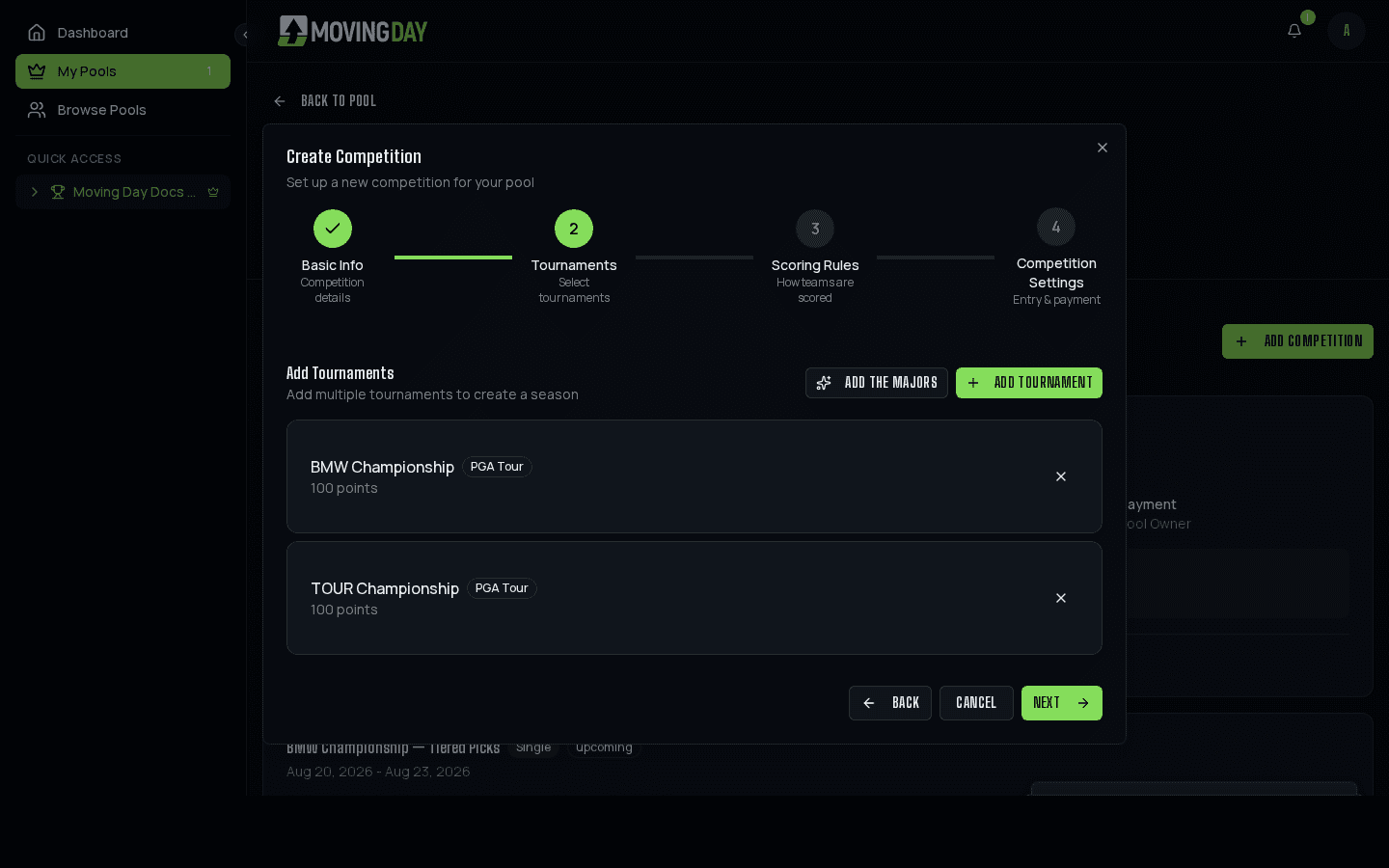
Add tournaments to a season one at a time, or use the "Add the Majors" shortcut to pull in the current year's major championships in one click. There's no limit on how many tournaments a season can include: run it for just the majors, a full playoff stretch, or an entire tour season.
Rosters: same team, or pick every week
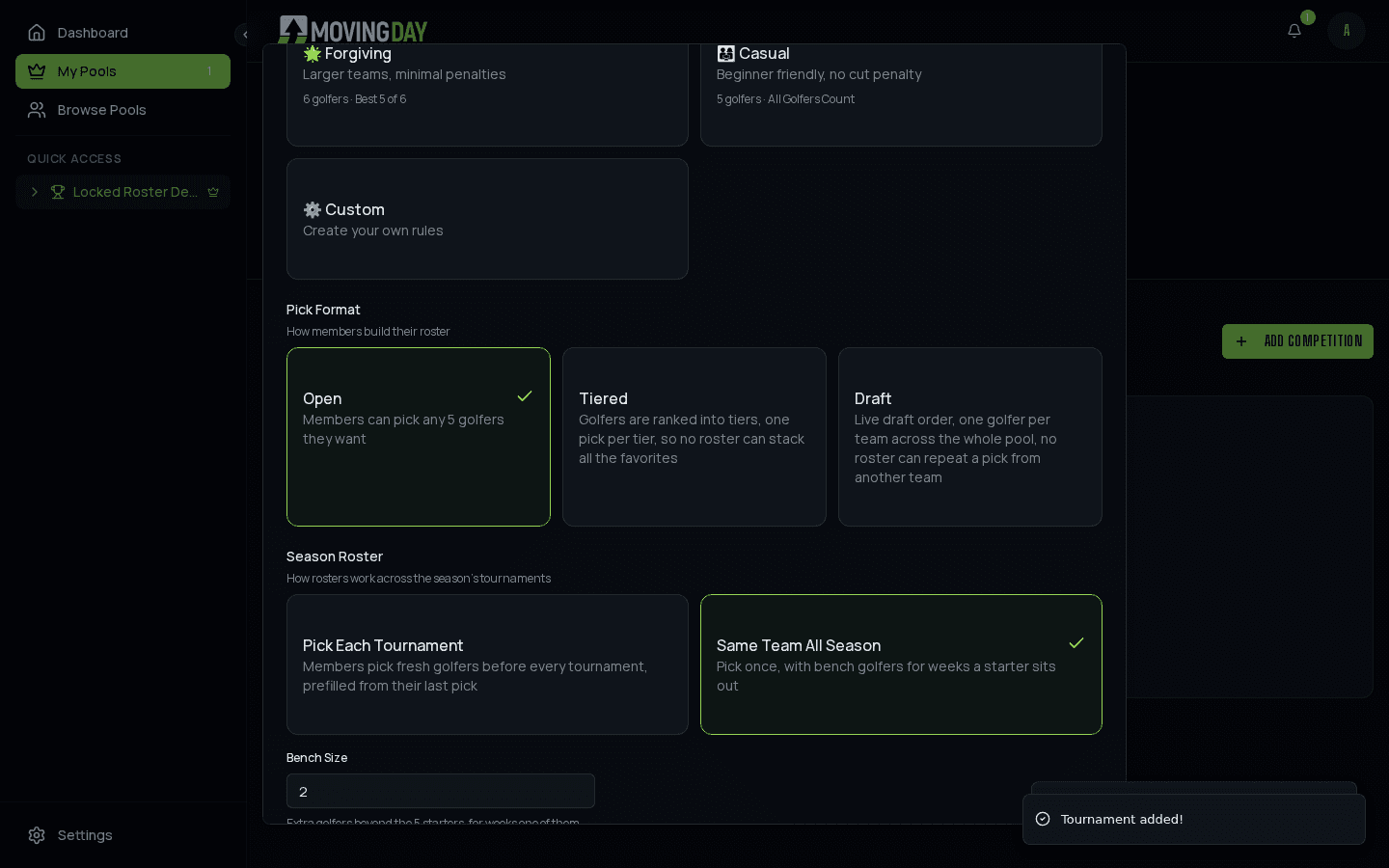
Not every golfer plays every tournament in a season, so when you set up a season you choose, once, how rosters work for the whole thing - for any pick format: Open, Tiered, or Draft. The choice lives on the Scoring Rules step of the create-competition wizard, right below Pick Format:
Missed picks: auto-fill
In a pick-every-week season, a member who forgets a deadline doesn't score a zero. At the first tee, any team without picks gets last week's lineup carried over; a golfer who isn't in this week's field is replaced with a random golfer from the field (the same tier, in a tiered pool), and the team takes a penalty for each replaced golfer - 5 strokes by default, once for the tournament, set per season in the competition's scoring rules. Auto-filled golfers are badged on the team page and the leaderboard, and the commissioner can turn the whole thing off if the group would rather a missed week be a zero.
Same team all season (locked)
Pick or draft once for the entire season, with a bench of 0 to 5 extra golfers beyond your normal team size (2 is the default once you switch to this mode). A team building its roster is asked for exactly team size plus bench size golfers - a Classic pool with a 2-golfer bench needs 7 total, 5 starters and 2 bench, and the roster-build screen labels the last two picks "Bench" as you add them.
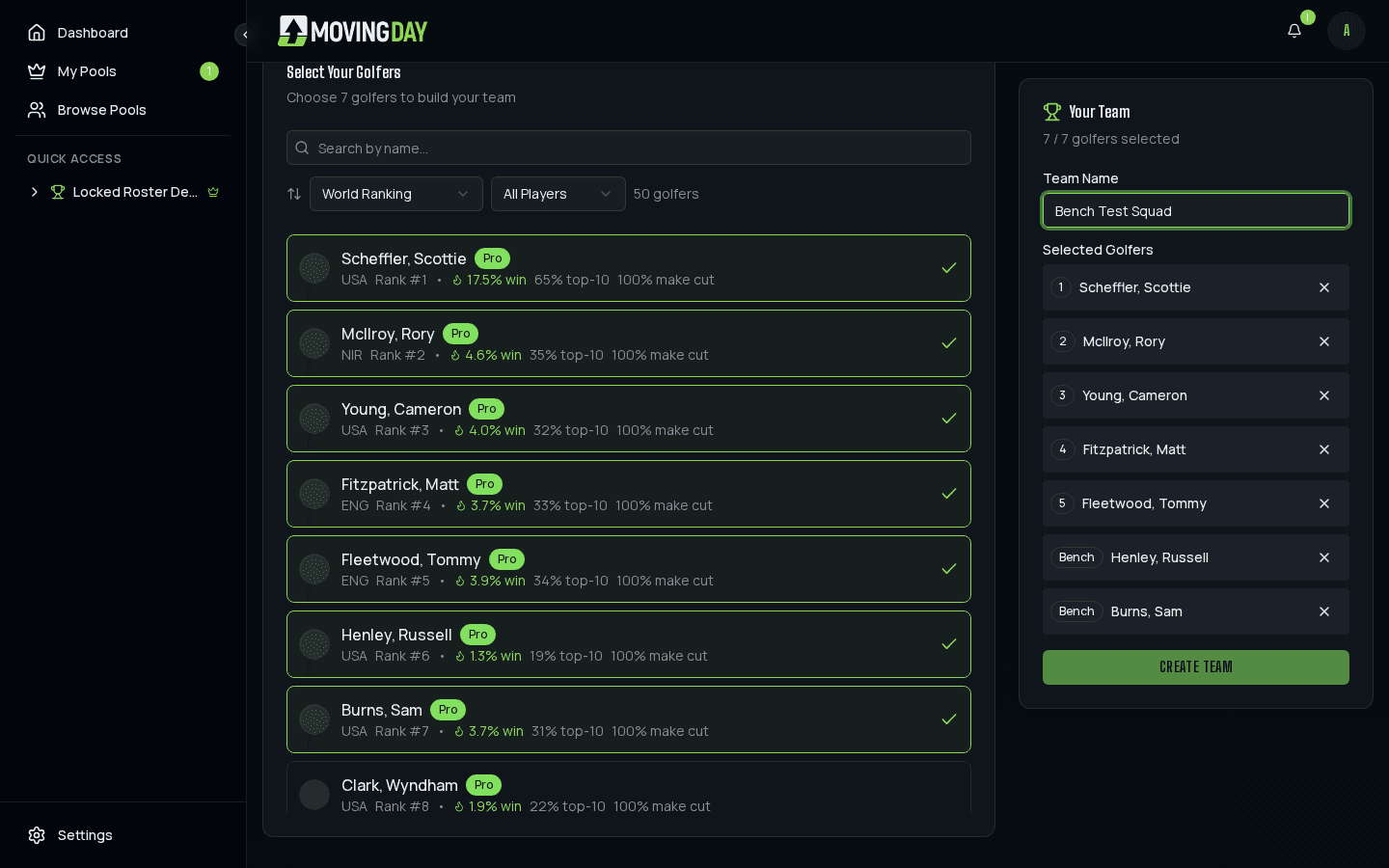
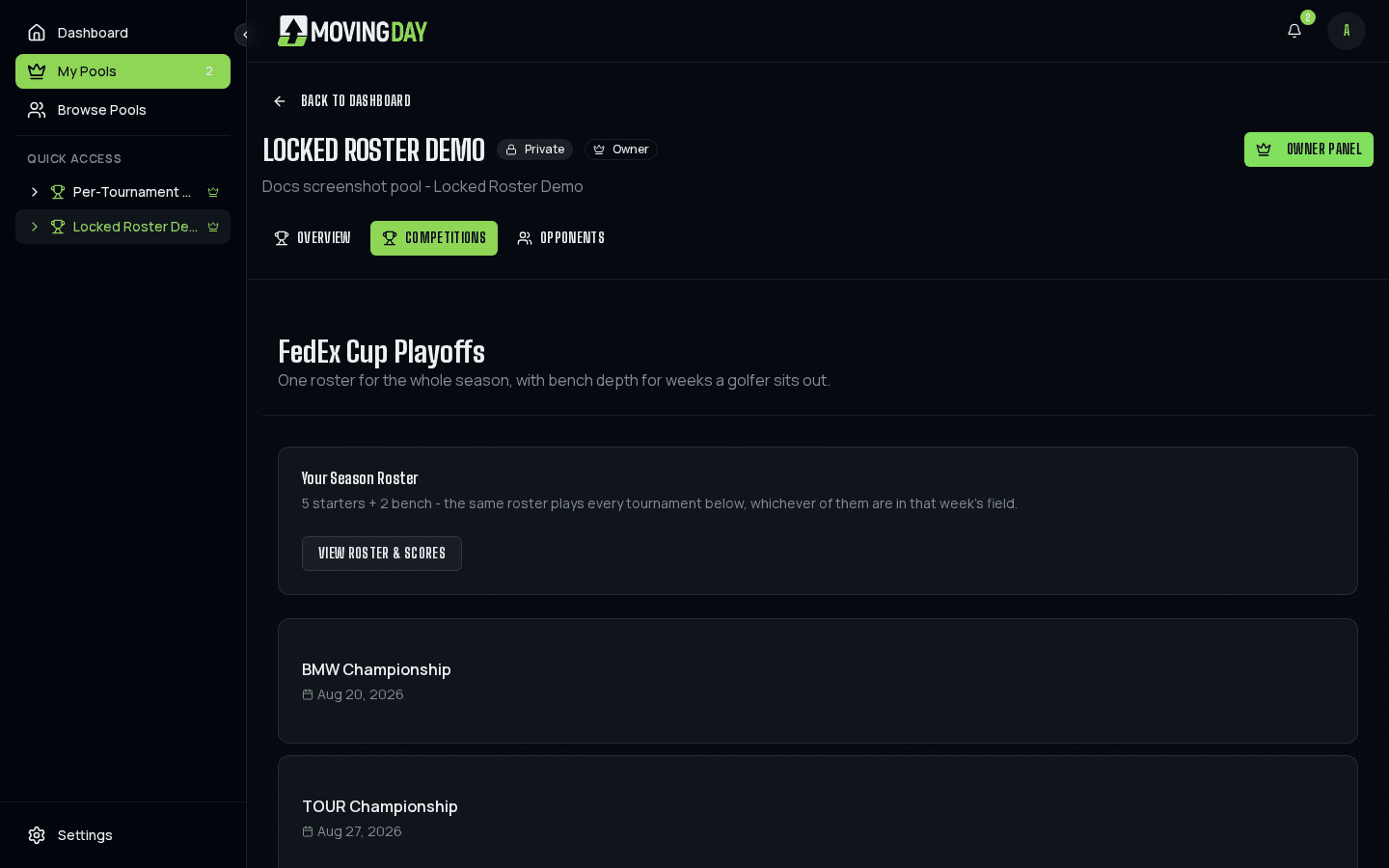
From there it runs on a depth chart. Your roster has an order - slots 1 through team size are your starters, the rest your bench in order (a draft fills the slots in pick order; you can reorder from your team page between tournaments). Each week the first team size golfers on your chart who are in that tournament's field play; if a starter is sitting the week out, the next golfer down steps in automatically. A bench golfer never scores just because he happens to be playing, and a golfer sitting a week out costs you nothing: no penalty, no lineup to set. The season schedule page shows one roster card instead of a pick prompt per tournament:
Tiered picks work the same way, with the bench golfers exempt from the tier balancing - your team size worth of starters still needs one golfer per tier, and the bench slots come from anywhere in the field after that. Draft-format locked seasons run a single live draft for the whole season: every team drafts team size plus bench size golfers total, and picks past the normal team size are labeled "(Bench)" on the draft board as they're made.
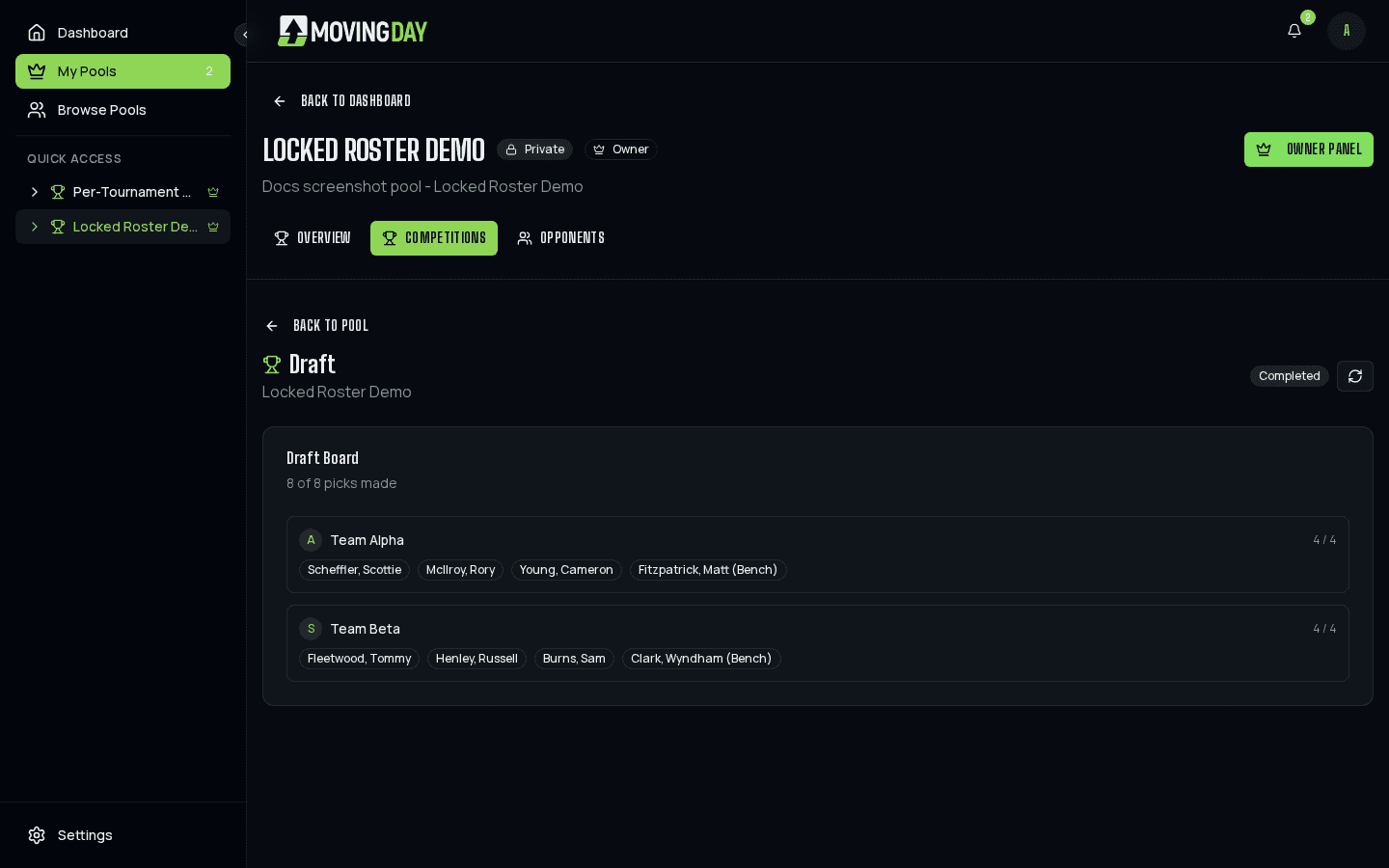
Pick each tournament
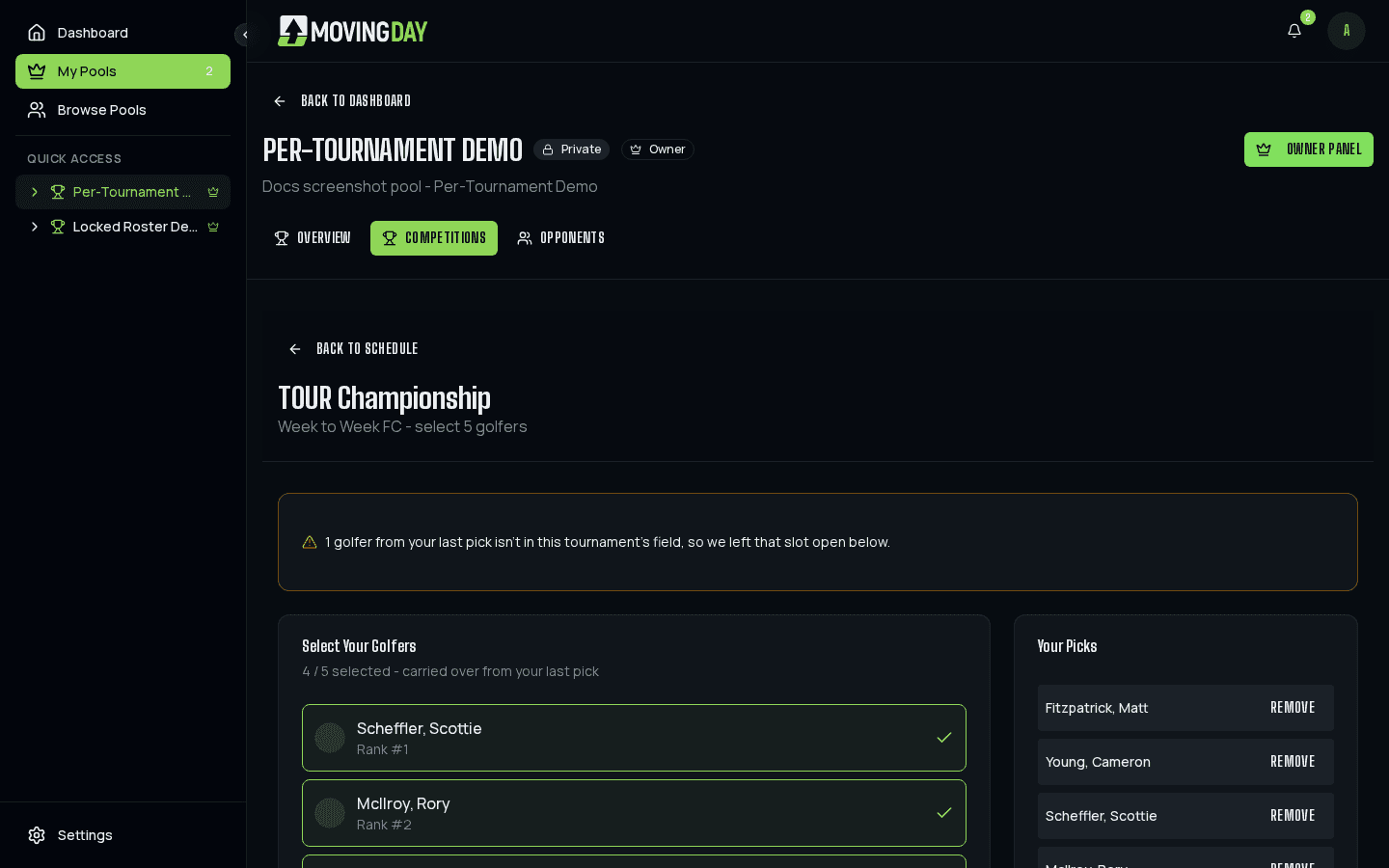
Members choose a fresh team size worth of golfers before every tournament in the season - there's no bench in this mode. The first tournament starts from a blank slate; every tournament after that prefills with whoever the team most recently set picks for (skipping back further if they missed a tournament in between), swapped into that week's own field. A golfer no longer in the new field simply leaves that slot open, with a notice explaining why:
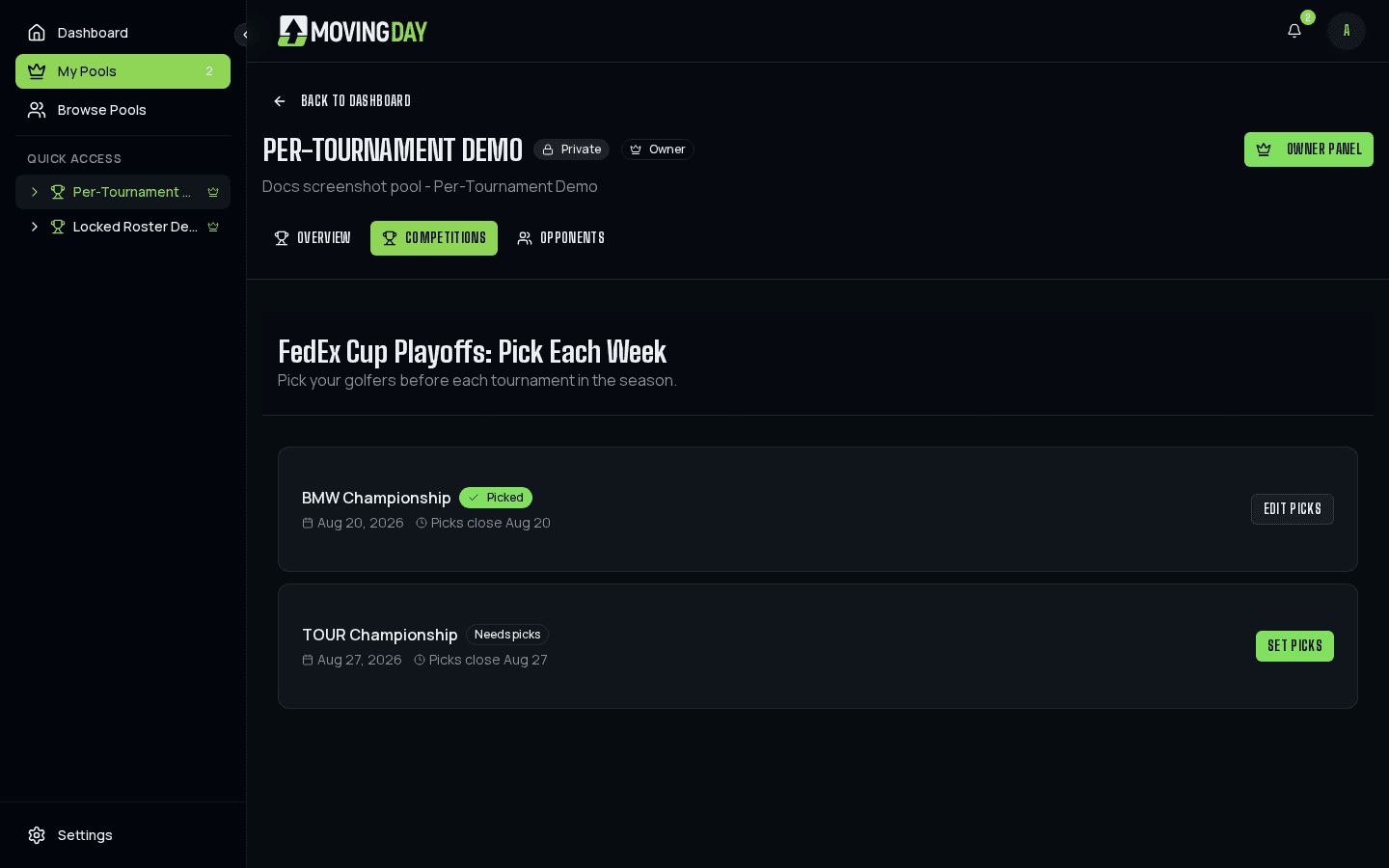
The entry deadline applies separately to each tournament rather than just the season's start: Moving Day takes the day-offset your original deadline used (say, 3 days before the season's first tournament) and reapplies that same offset to every other tournament's own start date. The season schedule page shows each tournament's own pick status and its own deadline:
Draft-format seasons in this mode run a genuinely fresh, separate draft for every tournament, not just once for the season - reachable from each tournament's row on the schedule page. A team's wishlist carries forward the same way regular picks do: ranked golfers still in the new tournament's field keep their rank, and any golfer who dropped out of the field is dropped from the wishlist too.